> For the complete documentation index, see [llms.txt](https://guides.noloco.io/llms.txt). Markdown versions of documentation pages are available by appending `.md` to page URLs; this page is available as [Markdown](https://guides.noloco.io/workflows/workflows/extract-keywords-action.md).
# Extract Keywords Action
Extract the important keywords from a block of text with AI so you can identify trends, or quickly find your records
The 'Extract Keywords' action is a game-changer for those looking to garner a deeper understanding of their textual data. This action utilizes AI capabilities to dissect a given block of text, isolating the core keywords and terms that convey the essence of the content.
Keywords are fundamental elements in a text that hold significant weight and meaning. By identifying these, you are able to recognize trends, key topics, and themes more efficiently, which can help streamline searches and better organize your records.
Whether you are dealing with customer feedback, project descriptions, meeting minutes, or any other form of written content, this action enables you to extract the most important information without having to sift through extensive text.
For example, suppose you have a large number of customer reviews. Instead of manually going through each review, you could use the 'Extract Keywords' action to analyze these reviews en masse. The keywords generated can then provide insights into common themes and areas of concern or praise, helping you identify areas for improvement or reinforcement.
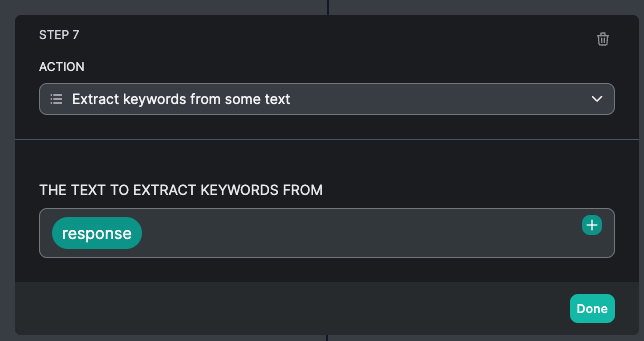
Inputs required for this action include the text from which keywords are to be extracted. The output will be a list of keywords or phrases that encapsulate the critical points of the text.
Stay ahead of the curve by incorporating the 'Extract Keywords' action into your workflows, unlocking the potential of your text data.
---
# Agent Instructions
This documentation is published with GitBook. GitBook is the documentation platform designed so that both humans and AI agents can read, navigate, and reason over technical content effectively. Learn more at gitbook.com.
## Querying This Documentation
If you need additional information that is not directly available in this page, you can query the documentation by asking a question.
Perform an HTTP GET request on the following URL with the `ask` and `goal` query parameters:
```
GET https://guides.noloco.io/workflows/workflows/extract-keywords-action.md?ask=&goal=
```
`ask` is the immediate question: it should be specific, self-contained, and written in natural language.
`goal` is what the user is ultimately trying to achieve, the reason they need the answer. Sharing it helps GitBook give you a better, more relevant answer. A goal is most helpful when it describes the outcome the user wants rather than restating the question. For example, with `ask=how do I create an API token`, a goal like `automate deployments from our CI pipeline` lets GitBook tailor the answer to that use case.
The response will contain a direct answer to the question and relevant excerpts and sources from the documentation.
Use this mechanism when the answer is not explicitly present in the current page, you need clarification or additional context, or you want to retrieve related documentation sections.