> For the complete documentation index, see [llms.txt](https://guides.noloco.io/llms.txt). Markdown versions of documentation pages are available by appending `.md` to page URLs; this page is available as [Markdown](https://guides.noloco.io/nola/credits-and-usage.md).
# Credits & Usage
How Nola credits work — what uses them and what's included with your plan
Nola's AI-powered work — especially building and editing a [Canvas](/nola/canvas.md) — is measured in **credits**. Credits are a simple way to track usage without you ever having to think about tokens, models, or the technical detail underneath. You describe what you want, Nola does the work, and the cost is shown to you in plain credits.
{% hint style="info" %}
Credits are **shared across your whole workspace**, not per user. Everyone building in your app draws from the same balance, which matches how teams actually share AI work.
{% endhint %}
## What uses credits
Credits are consumed by AI actions, and the cost scales naturally with how much work the action involves. A quick restyle of a component costs a fraction of a credit, while generating a whole page from scratch costs more.
The exact cost of any action depends on its complexity. Your available credits, and the cost of each action, are always shown to you as you work, so there are no surprises.
## What's free
You're only charged for work that produces a result:
* **Failed generations are never charged.** If a model error, network problem, or cancellation stops an action before it produces anything, no credits are used.
* **Fixes are free.** If a page generates but doesn't render correctly, asking Nola to [fix it](/nola/canvas/troubleshooting-canvases.md#letting-nola-fix-it) doesn't cost credits — you're never charged twice for one working result.
Being unhappy with an output isn't the same as a failure — if a generation completes and works, it uses credits even if you then ask Nola to change it. Iterating on a working page is a normal edit.
## What's included with your plan
Every plan includes a **monthly credit allowance** that refreshes at the start of your billing cycle. Higher plans include more credits.
| Plan | Monthly credits | Daily allowance | Rollover |
| ---------- | ---------------------------- | --------------- | -------- |
| Free | 30 | 5 per day | — |
| Build | 250, adjustable up to 10,000 | — | 1 month |
| Enterprise | Custom | Custom | Custom |
* **Free** gets a small **daily allowance** on top of its monthly credits. The daily amount refreshes each day and is used first, so light daily use doesn't eat into your monthly balance. Unused daily credits don't roll over to the next day.
* **Build** gets a monthly allowance that **rolls over** for one month if unused (annual plans roll over until the end of your contract). If you regularly need more, you can [change your credit allowance](#changing-your-credit-allowance) yourself.
{% hint style="info" %}
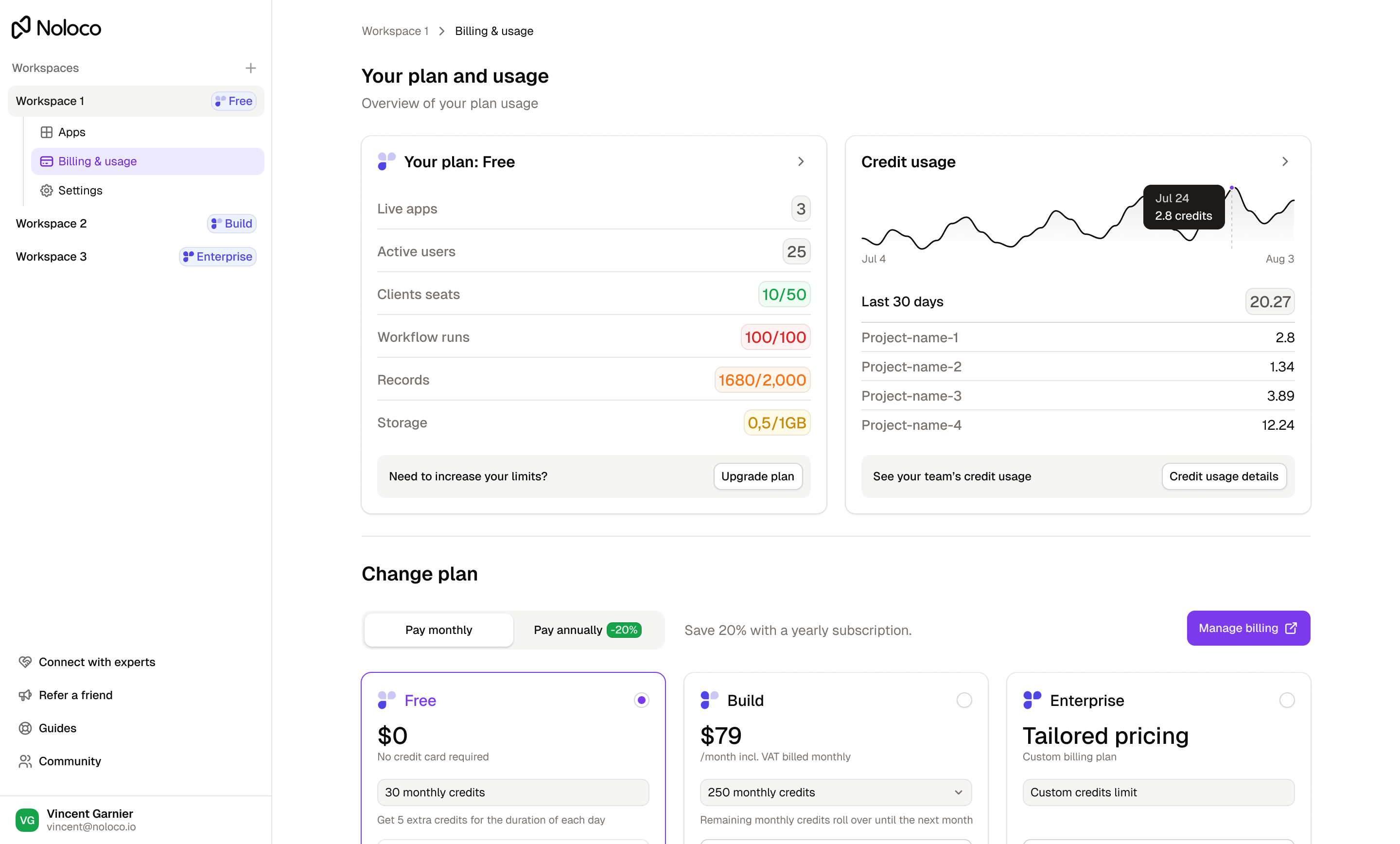
You can see your plan's allowance and current usage any time in [Plan limits & usage](/settings/plan-limits-and-usage.md) and [Billing & usage](/settings/billing-and-usage.md).
{% endhint %}
## Changing your credit allowance
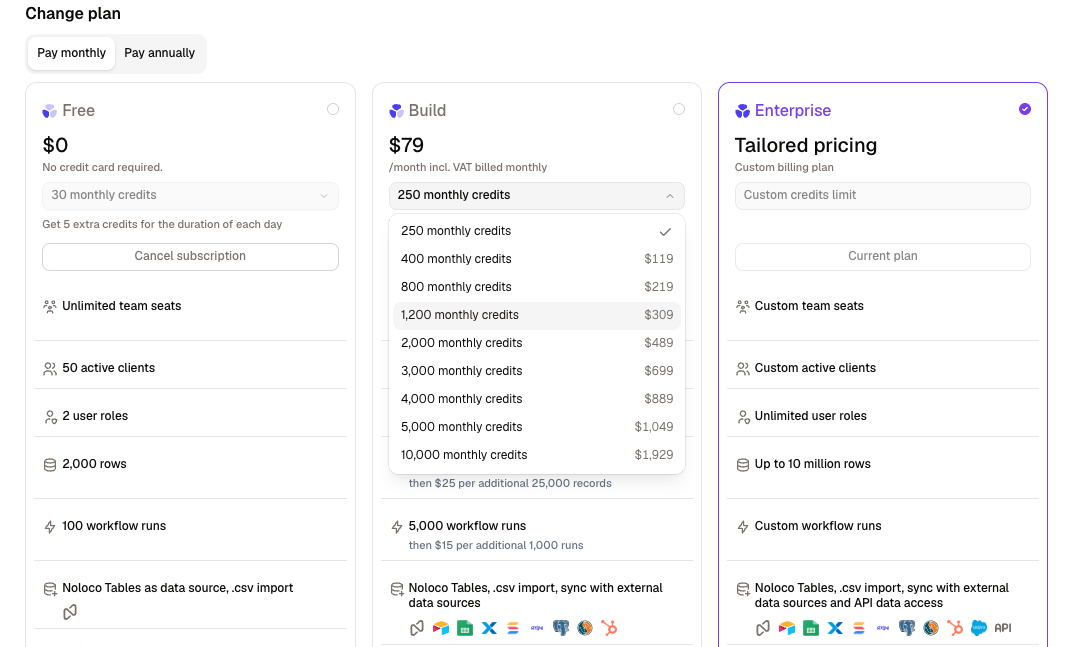
On **Build**, your monthly credit allowance is part of your subscription, so you can raise or lower it yourself without talking to us. Go to **Settings** > [**Billing & Usage**](/settings/billing-and-usage.md) and open the **monthly credits** dropdown on the Build plan card, then confirm the change.
Build starts at **250** credits a month, and you can move to **400**, **800**, **1,200**, **2,000**, **3,000**, **4,000**, **5,000**, or **10,000**. Larger allowances cost less per credit, so stepping up gets you a better rate. The price of each level is shown beside it in the dropdown, and on the [pricing page](https://noloco.io/pricing).
Lowering your allowance works the same way — choose a smaller level and confirm. Whichever level you pick becomes your recurring monthly allowance, and the [rollover](#whats-included-with-your-plan) rules are unchanged.
The other plans work a little differently:
* **Free** is fixed at 30 credits a month plus its daily allowance. To raise it, upgrade to Build.
* **Enterprise** has a custom credit limit, pooled across your workspace and sized with your account team.
{% hint style="info" %}
If you need more than 10,000 credits a month, that's an Enterprise conversation — [contact sales](mailto:sales@noloco.io) and we'll size an allocation around your use case.
{% endhint %}
## Reaching your limit
An action that's already started always runs to completion — Nola never stops mid-way. It's the **next** action that's paused if you've run out of credits. When that happens, Nola tells you exactly which limit you hit and what to do:
* **Daily limit (Free):** resets in a few hours, or upgrade to remove the daily limit.
* **Monthly limit (Free):** resets on your renewal date, or upgrade to keep building.
* **Monthly limit (Build):** resets on your renewal date, or [raise your monthly credit allowance](#changing-your-credit-allowance) to keep building.
## Where to see your balance
Your available credits are shown in the Nola panel. Hover over the balance to see your monthly allowance, any daily allowance, rollover status, and your next reset date. After each action, Nola shows how many credits it used and how many you have left.
You can also review your workspace's credit usage in the billing section of your [app settings](/settings/billing-and-usage.md).
Your credit balance in the Nola panel
---
# Agent Instructions
This documentation is published with GitBook. GitBook is the documentation platform designed so that both humans and AI agents can read, navigate, and reason over technical content effectively. Learn more at gitbook.com.
## Querying This Documentation
If you need additional information that is not directly available in this page, you can query the documentation by asking a question.
Perform an HTTP GET request on the following URL with the `ask` and `goal` query parameters:
```
GET https://guides.noloco.io/nola/credits-and-usage.md?ask=&goal=
```
`ask` is the immediate question: it should be specific, self-contained, and written in natural language.
`goal` is what the user is ultimately trying to achieve, the reason they need the answer. Sharing it helps GitBook give you a better, more relevant answer. A goal is most helpful when it describes the outcome the user wants rather than restating the question. For example, with `ask=how do I create an API token`, a goal like `automate deployments from our CI pipeline` lets GitBook tailor the answer to that use case.
The response will contain a direct answer to the question and relevant excerpts and sources from the documentation.
Use this mechanism when the answer is not explicitly present in the current page, you need clarification or additional context, or you want to retrieve related documentation sections.