> For the complete documentation index, see [llms.txt](https://guides.noloco.io/llms.txt). Markdown versions of documentation pages are available by appending `.md` to page URLs; this page is available as [Markdown](https://guides.noloco.io/data/collections/filtering-sorting-and-limiting.md).

# Filtering, Sorting & Limiting

Control exactly which related records feed a rollup or lookup field by filtering, sorting and limiting them.

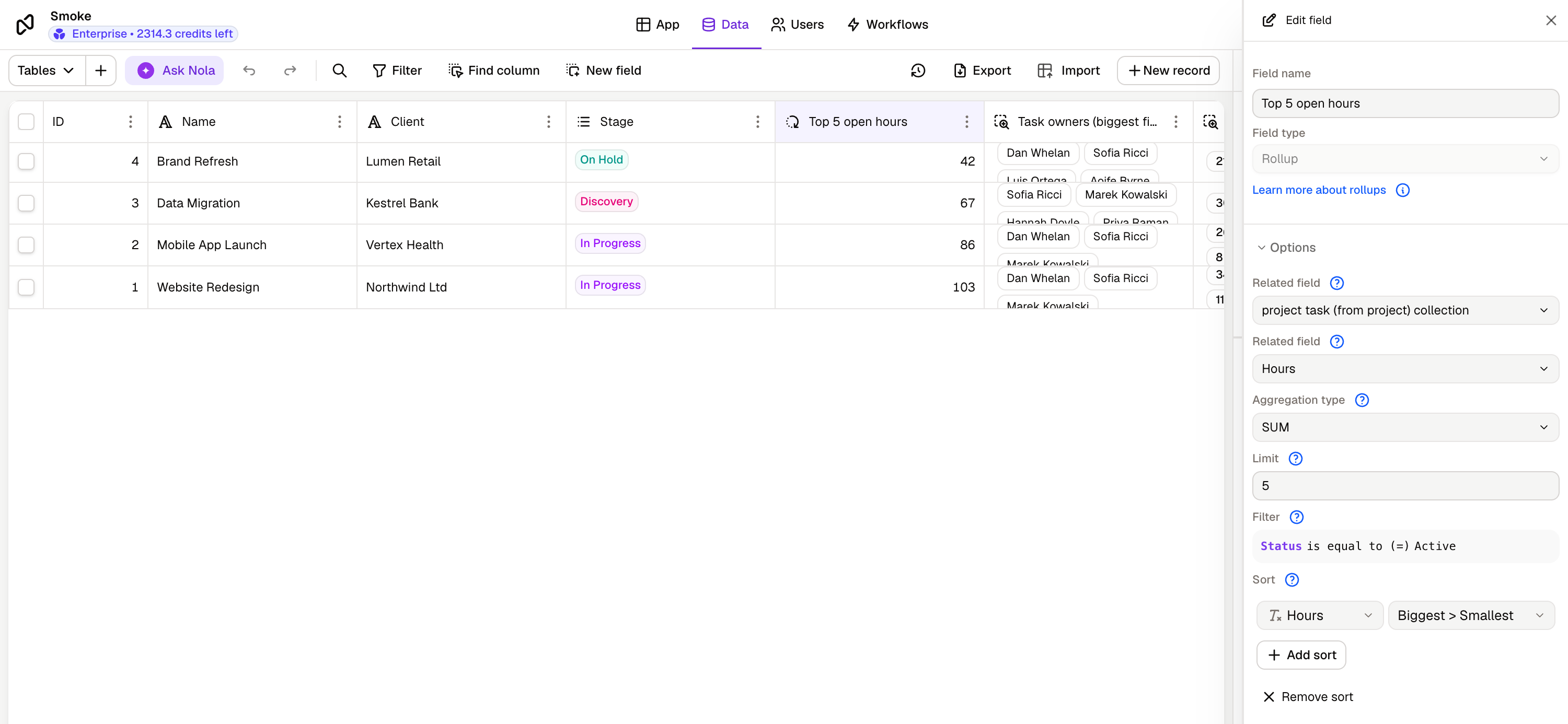
<figure><img src="https://319575345-files.gitbook.io/~/files/v0/b/gitbook-x-prod.appspot.com/o/spaces%2F-MifpIQWu0HCVYAt51oT%2Fuploads%2Fgit-blob-35ae01038961372247370390536127d23e3150f4%2Frollup_lookup_overview.png?alt=media" alt="A rollup field configured with a limit, a filter and a sort, alongside the values it produces"><figcaption><p>A rollup with all three controls set — limited to 5 records, filtered to <code>Status is Active</code>, sorted by Hours — and the values it produces for each record</p></figcaption></figure>

By default, a [rollup](/data/collections/rollups.md) or [lookup](/data/collections/lookup-fields.md) field uses **every** related record it can reach through the relationship you chose. Filters, sorting and limits let you narrow that down, so the field only summarizes or pulls the records you actually care about.

All three controls live in the same place — the field editor, underneath the relationship and field you're summarizing or looking up. They work on both rollup and lookup fields, and you can combine them.

<figure><img src="https://319575345-files.gitbook.io/~/files/v0/b/gitbook-x-prod.appspot.com/o/spaces%2F-MifpIQWu0HCVYAt51oT%2Fuploads%2Fgit-blob-7eea9e8097586380a14e901180dbb9dbca7202fa%2Frollup_filter_sort_limit.png?alt=media" alt="Limit, Filter and Sort in the rollup field editor" width="360"><figcaption><p>Limit, Filter and Sort sit together in the field editor — here on a rollup summing Hours</p></figcaption></figure>

### Filtering

A filter decides **which** related records are included.

Instead of counting every task on a project, count only the active ones. Instead of looking up every assignee's email, look up only the ones whose job title is Manager.

* Open the field editor for your rollup or lookup field.
* Under **Filter**, add a condition — pick a field on the related table, an operator, and a value.
* Add more conditions to narrow it further, or group them to match on any one of several conditions.

Filtered values stay up to date automatically. If a record changes so that it now matches — or no longer matches — your filter, the rollup or lookup recalculates.

<figure><img src="https://319575345-files.gitbook.io/~/files/v0/b/gitbook-x-prod.appspot.com/o/spaces%2F-MifpIQWu0HCVYAt51oT%2Fuploads%2Fgit-blob-b9007fac2c7f606d1ef2da3d17441d287e903422%2Frollup_filter_condition.png?alt=media" alt="Editing a filter condition on the related table"><figcaption><p>Editing a condition — pick a field on the related table, an operator and a value</p></figcaption></figure>

### Sorting

Sorting decides the **order** of the related records before they're used.

For a lookup, this is the order the values appear in on the record. For a rollup, it matters most when combined with a limit — it's what decides which records make the cut.

* Under **Sort**, choose a field on the related table and a direction.
* Add more sort rules to break ties.

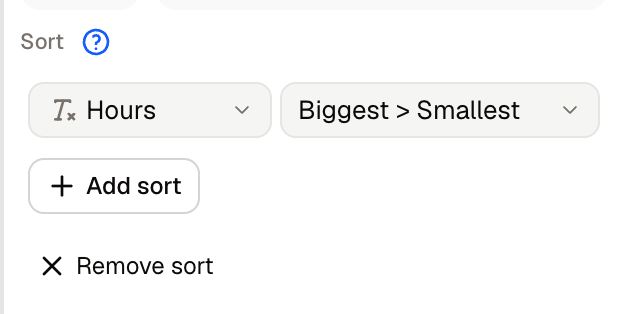
<figure><img src="https://319575345-files.gitbook.io/~/files/v0/b/gitbook-x-prod.appspot.com/o/spaces%2F-MifpIQWu0HCVYAt51oT%2Fuploads%2Fgit-blob-51d6f98db122e78cbbe5140edc15078fa28f5cda%2Flookup_sort_control.png?alt=media" alt="A sort rule on the related table, inside the lookup field editor"><figcaption><p>A sort rule on the related table — Hours, biggest to smallest</p></figcaption></figure>

### Limiting

A limit caps **how many** related records are used.

Combined with sorting, this is how you build "top N" fields — roll up the value of the 10 most recent deals, or look up the email of the 3 most recently assigned users.

* Under **Limit**, enter the maximum number of records to use.

If you don't set a sort, records are limited using the default order — most recently created first.

{% hint style="info" %}
Setting the limit to **1** turns the field into a single value rather than a list. This changes how you can use it elsewhere in your app — for example, a limited lookup on a linked field behaves as a single linked record.
{% endhint %}

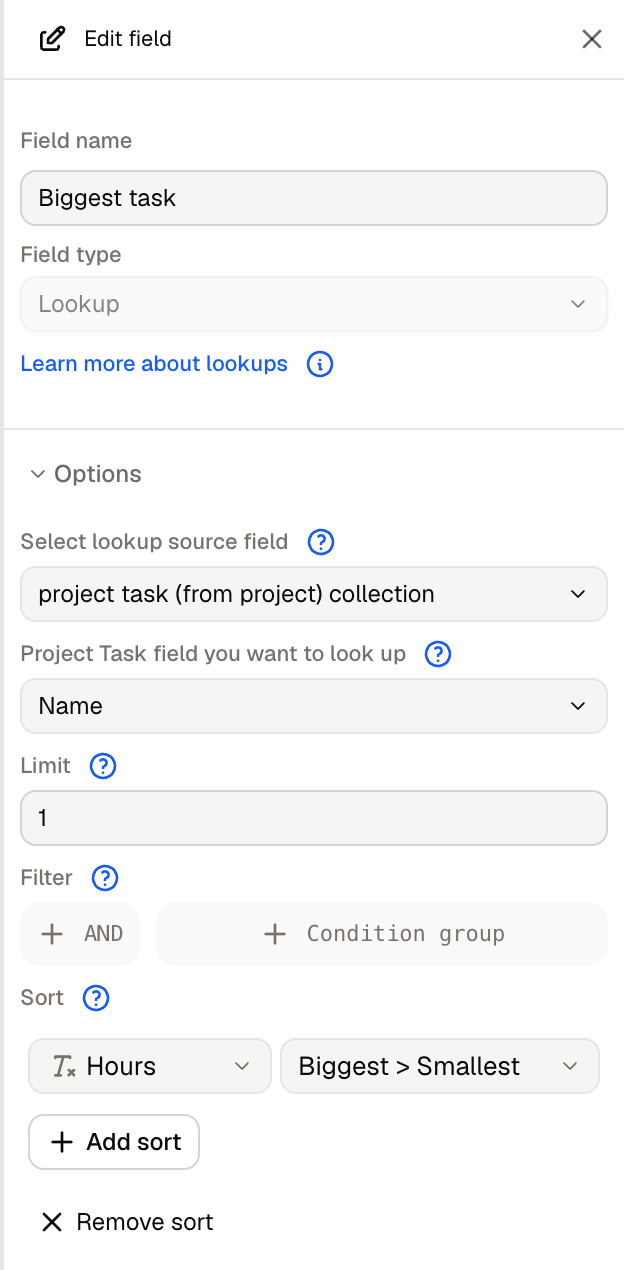
<figure><img src="https://319575345-files.gitbook.io/~/files/v0/b/gitbook-x-prod.appspot.com/o/spaces%2F-MifpIQWu0HCVYAt51oT%2Fuploads%2Fgit-blob-d0798d8390f88dfff3c60806d3e9b4f83e9ddd1d%2Flookup_limit_one_editor.png?alt=media" alt="A lookup field limited to 1 related record" width="360"><figcaption><p>A lookup limited to 1 and sorted by Hours — it returns each project's biggest task</p></figcaption></figure>

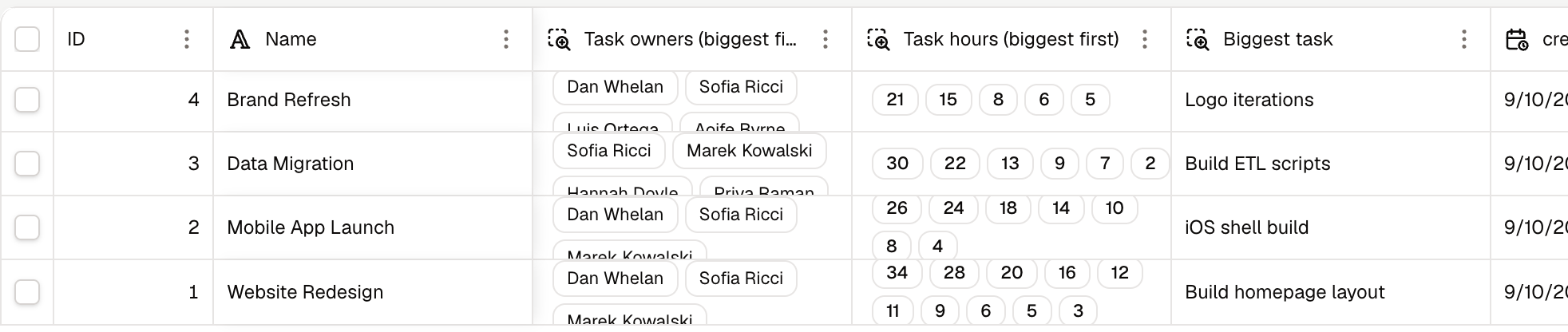
<figure><img src="https://319575345-files.gitbook.io/~/files/v0/b/gitbook-x-prod.appspot.com/o/spaces%2F-MifpIQWu0HCVYAt51oT%2Fuploads%2Fgit-blob-02f22eeaa36824fb6857e3493df83177cec5b92b%2Flookup_limit_one_single_value.png?alt=media" alt="Unlimited lookups return a list; a lookup limited to 1 returns a single value"><figcaption><p>Unlimited lookups return a list of values; limited to 1, the field returns a single value</p></figcaption></figure>

### Putting it together

A worked example — "the value of my 5 biggest open deals":

* **Field**: a rollup on the Company → Deals relationship, summing **Value**
* **Filter**: Stage is not `Closed`
* **Sort**: Value, descending
* **Limit**: 5

The rollup now sums the five highest-value open deals for each company, and updates itself whenever a deal's value or stage changes.


---

# Agent Instructions
This documentation is published with GitBook. GitBook is the documentation platform designed so that both humans and AI agents can read, navigate, and reason over technical content effectively. Learn more at gitbook.com.

## Querying This Documentation
If you need additional information that is not directly available in this page, you can query the documentation dynamically by asking a question.

Perform an HTTP GET request on the current page URL with the `ask` query parameter, and the optional `goal` query parameter:

```
GET https://guides.noloco.io/data/collections/filtering-sorting-and-limiting.md?ask=<question>&goal=<endgoal>
```

`ask` is the immediate question: it should be specific, self-contained, and written in natural language.
`goal` is optional and describes the broader end goal you are ultimately trying to accomplish on behalf of the user. GitBook uses it to tailor the answer towards what is most useful for that goal.

The response will contain a direct answer to the question and relevant excerpts and sources from the documentation.

Use this mechanism when the answer is not explicitly present in the current page, you need clarification or additional context, or you want to retrieve related documentation sections.